MTK-based control-screen software integrating barcode capture, task validation, operator feedback and agreed business-system data exchange.
MTK-based control-screen application
Scan capture, validation and task feedback
Record submission and system integration
This application illustrates software and integration scope, not a confirmed model or supply offer. MTK control-screen configuration, operating system and equipment interfaces are confirmed for the selected hardware and project.
Features
Understand the application challenge
Barcode capture is useful only when the value reaches the correct task and record. The MTK control-screen application must coordinate scan-engine input, validation, operator feedback and business-system confirmation without losing or duplicating records.
Put each scan in the correct task
Associate captured values with the active operation and required record. Define format validation and deliberate handling of repeated or unexpected scans.
Coordinate the screen and scan engine
Review the MTK terminal's trigger events, SDK or input mode. Handle focus, app lifecycle and operator feedback around the selected scanner interface.
Distinguish captured data from submitted records
Make local validation and server acknowledgement separate states. Agree retry and duplicate-prevention rules when a submission is interrupted.
Solution
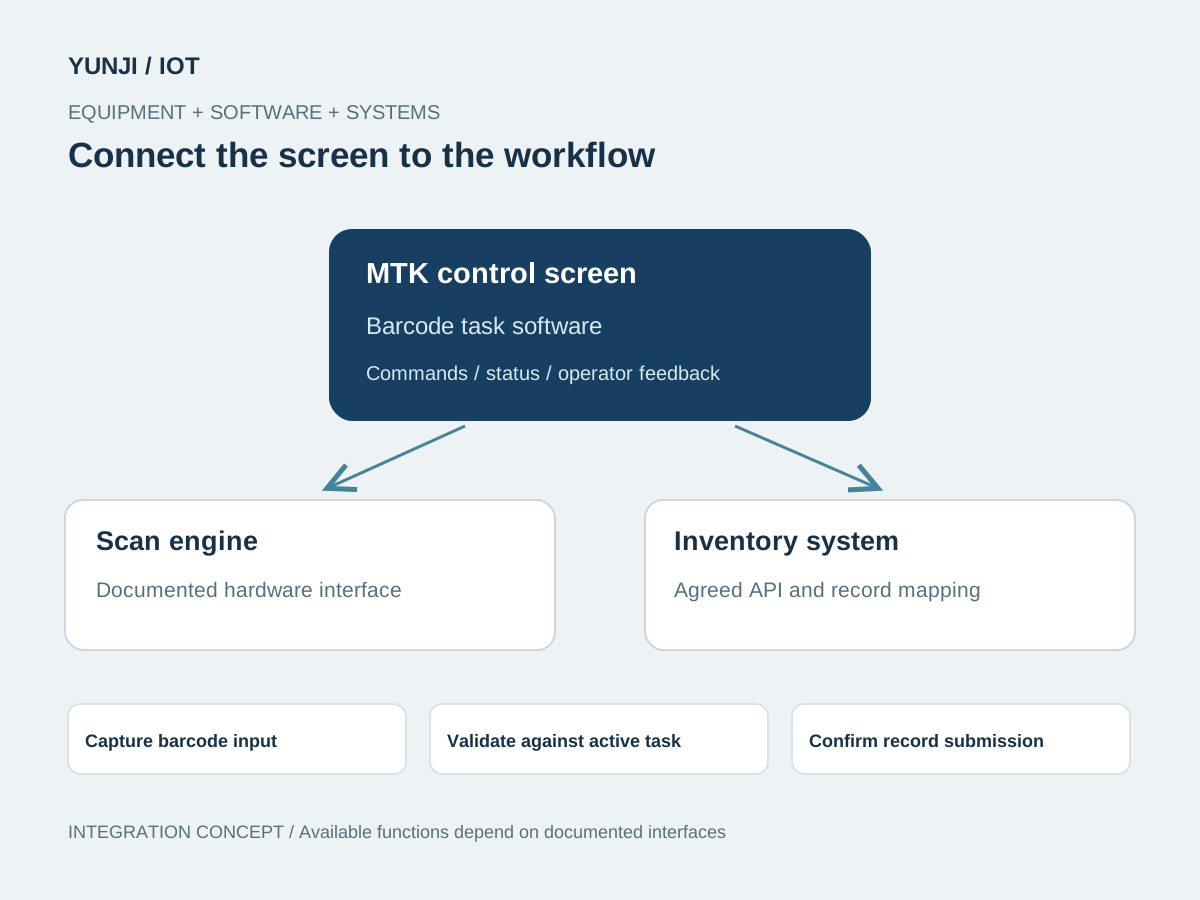
Connect the equipment to the workflow
Adapt the application to the MTK-based screen and documented scanning interface. Map captured values into task records with explicit validation, submission and recovery states.
Review real labels, scan conditions, record fields and operator steps. Agree validation rules and how repeated scans should behave.
Verify the board, screen, system image and scan-engine interface. Build task screens, trigger handling and capture feedback.
Map captured values and task identifiers to available APIs. Define acknowledgements, rejected records, retry rules and any required offline queue.
Test valid, invalid and repeated scans, rapid input, connectivity loss and application restart. Document configuration, recovery and supported code samples.
Application context
Where the workflow takes shape
Inventory receiving and picking terminals
Asset identification and traceability screens
Retail or production barcode workflows
Integration focus
Define the system boundaries
MTK board, screen, system image and scan-engine SDK adaptation
Trigger events, data formats and duplicate handling
Task identifiers, submission acknowledgements and business APIs
Outputs & acceptance
Expected Result
This is an illustrative application, not a completed customer project. The items below describe proposed outputs and checks to agree for an engagement; they are not reported project results.
Agreed deliverables
MTK terminal software and scan-engine integration
Task, capture and validation interfaces
Business-record mapping and agreed API implementation
Representative-label checks and deployment / technical handover
Before implementation
Compatibility & acceptance checks
Core platform
MTK-based control screen; exact chipset and system image agreed per terminal
Scanning interface
Scan engine, trigger events, SDK or input mode verified on the selected hardware
Code support
Formats and reading conditions checked with representative labels
Record mapping
Fields, task identity, validation and duplicate rules agreed with the business workflow
Offline behaviour
Queue, retry and reconciliation included only where required and supported
Acceptance
Capture feedback, field accuracy, submission acknowledgement and recovery
SOFTWARE & INTEGRATION
Control screens in application
Control-screen software, equipment communication and system integration.
Interface and integration concepts. Actual screens and supported functions are defined for each project.
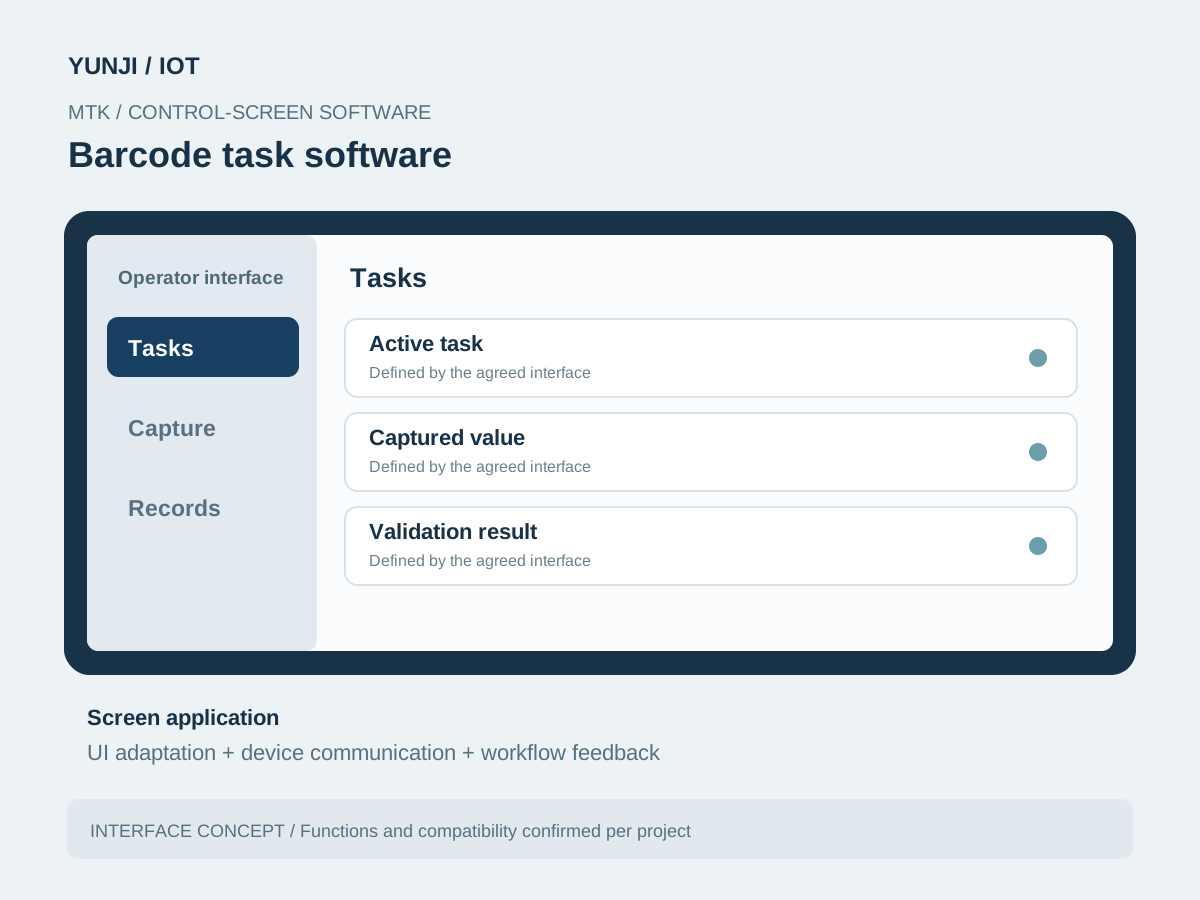
Barcode task software
MTK software brings active task, captured value, validation result into one operator interface. The screen is adapted to the selected hardware and workflow.
Barcode task software
FAQ
Explore frequently asked questions about Barcode Data Capture.
Yes. The application targets an MTK-based control screen. The chipset, system image, screen and scan-engine integration are confirmed for the selected terminal.
Integration is scoped from the system's APIs, record fields and task model. Captured data, validation and server acknowledgements are mapped before implementation.
Those are properties of the selected scan engine, labels and operating conditions. They are verified with representative samples rather than inferred from the MTK platform.
An offline queue and later synchronisation can be scoped if the workflow requires them. Record identity, retry limits and duplicate prevention must be agreed with the receiving system.