RK-series smart-home control-screen software bringing room controls, device status and agreed scene or gateway integration into one interface.
RK-series central control screen
Room controls and device-state visibility
Device, gateway and scene integration
This application illustrates software and integration scope, not a confirmed model or supply offer. RK series control-screen configuration, operating system and equipment interfaces are confirmed for the selected hardware and project.
Features
Understand the application challenge
A home control panel must present devices from different systems without confusing requested settings with confirmed states. Room organisation, access, gateway communication and offline behaviour must be designed around the equipment actually installed.
Make a multi-device home easy to operate
Organise supported devices by room and purpose. Present usable controls and meaningful status without exposing integration details to household users.
Confirm actions across device systems
Map commands, acknowledgements and reported states through available gateways or device APIs. Show pending and offline conditions instead of presenting a requested value as a confirmed result.
Define what works when connectivity changes
Agree local and cloud command paths, device ownership and scene execution. Make the screen's available functions clear during gateway or internet outages.
Solution
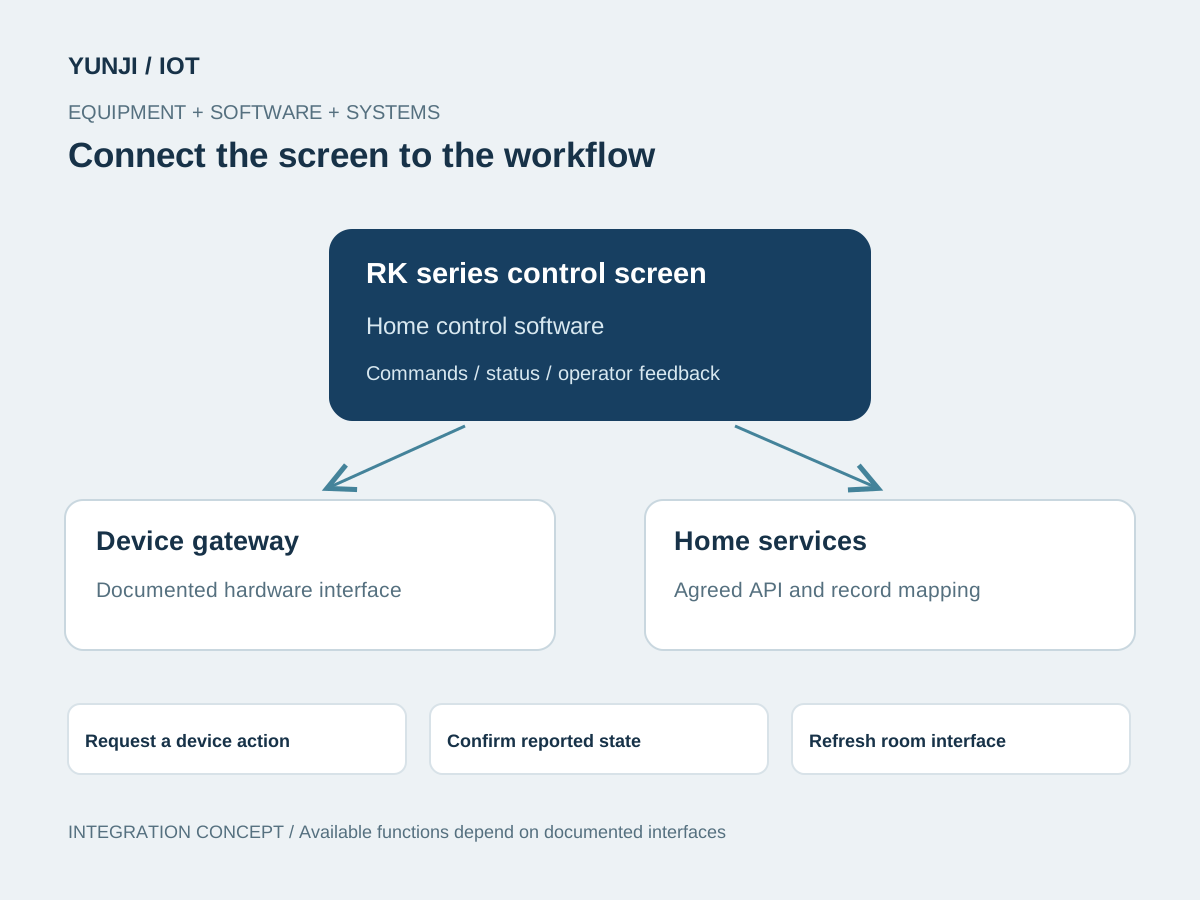
Connect the equipment to the workflow
Build an RK-series control-screen interface around rooms, devices and agreed scenes. Integrate through documented device or gateway interfaces, with explicit command feedback and local / cloud responsibilities.
List device models, supported actions, room groupings, user roles and desired scenes. Identify gateway, firmware and cloud responsibilities.
Select the RK board for the project and verify display, touch and system-image compatibility. Develop room views, controls and status feedback for the actual screen.
Connect documented commands and status events, map device identities and permissions, and implement agreed scene requests through the designated execution system.
Test command feedback, state synchronisation, unavailable devices, gateway interruption and restart. Hand over supported-device mappings and deployment instructions.
Application context
Where the workflow takes shape
Residential room-control panels
Lighting, climate and curtain interfaces where supported
Shared scene and device-status screens
Integration focus
Define the system boundaries
RK-series board, panel, touch and system adaptation
Documented device / gateway commands and status events
Scene ownership, account permissions and optional cloud APIs
Outputs & acceptance
Expected Result
This is an illustrative application, not a completed customer project. The items below describe proposed outputs and checks to agree for an engagement; they are not reported project results.
Agreed deliverables
RK-series panel software and hardware-adaptation scope
Room, device and agreed scene interfaces
Supported-device mapping and gateway / API integration
Compatibility records and configuration / handover documentation
Before implementation
Compatibility & acceptance checks
Core platform
RK series; the specific chip and board are selected per project
Display and system
Resolution, touch behaviour, mounting and system image confirmed for the panel
Device compatibility
Models, SDKs, gateways and supported actions verified individually
Scene execution
Triggers, execution owner and per-device feedback agreed for each scene
Access and connectivity
User roles, credentials, local / cloud paths and offline functions defined explicitly
Acceptance
Control feedback, state accuracy, permissions and recovery checked on representative devices
SOFTWARE & INTEGRATION
Control screens in application
Control-screen software, equipment communication and system integration.
Interface and integration concepts. Actual screens and supported functions are defined for each project.
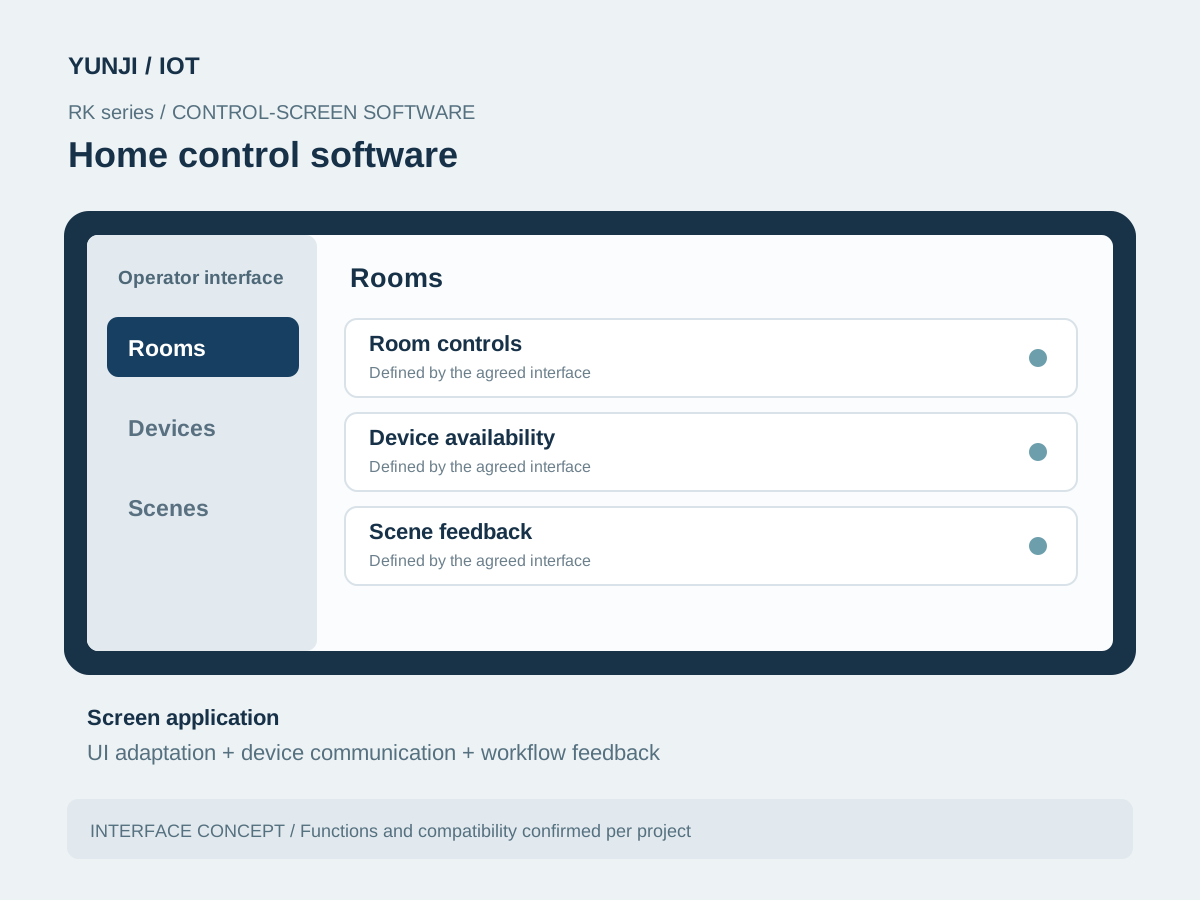
Home control software
RK series software brings room controls, device availability, scene feedback into one operator interface. The screen is adapted to the selected hardware and workflow.
Home control software
FAQ
Explore frequently asked questions about Connected Device Control.
The platform is RK series. The exact chip, board and operating-system image are selected from the panel requirements and integration workload; no specific RK model is fixed for every project.
They can be evaluated where documented device or gateway interfaces are available. Compatibility is confirmed per model and function; support for a brand or protocol is not assumed from its name.
This depends on the available local interfaces and where each scene executes. Local and cloud functions, unavailable states and recovery behaviour are agreed during design.
Provide the panel hardware, room and device list, gateway models, SDK / API documentation, desired scenes and account or permission requirements.