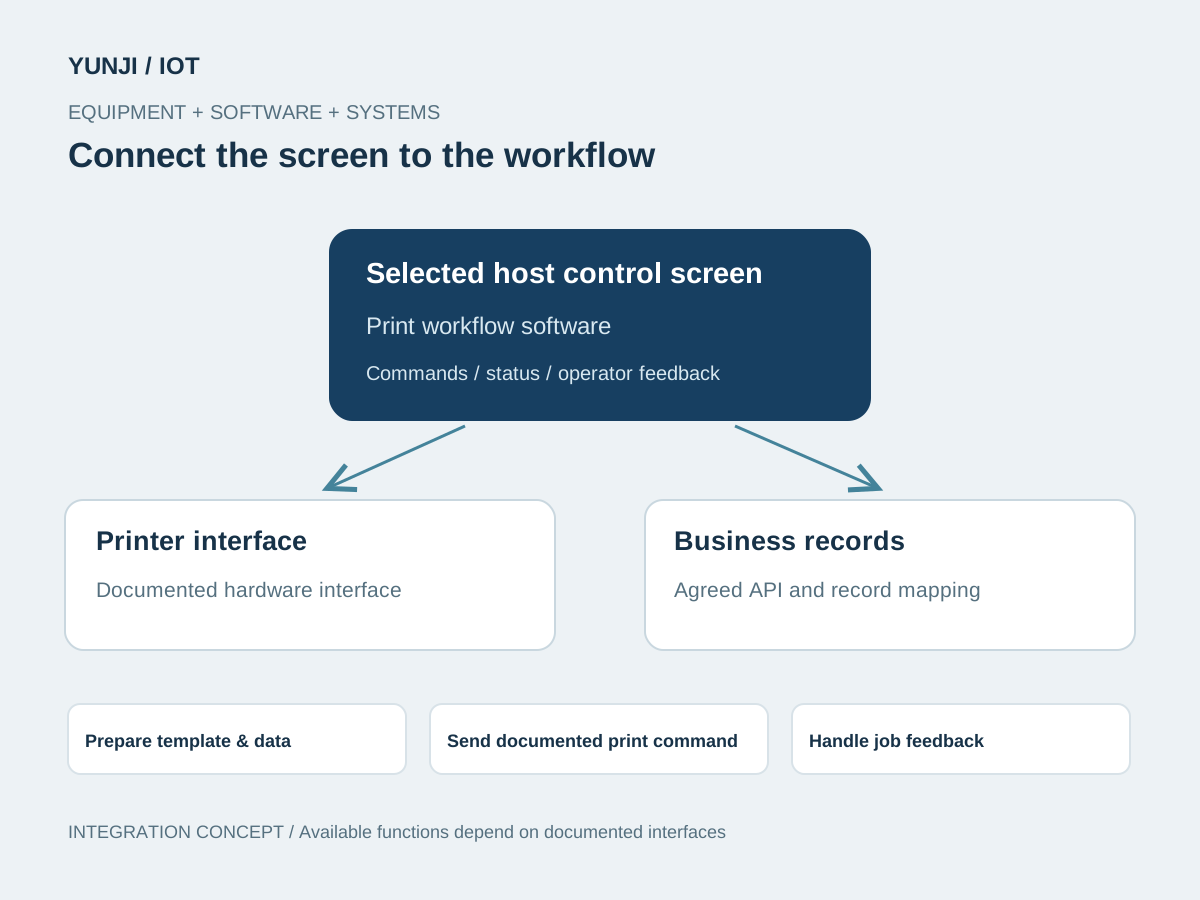
Bring template selection, print tasks and equipment feedback into a control-screen application integrated with the selected printer and business workflow.
Control-screen software for printing workflows, connecting templates, print jobs, equipment feedback and business-system records.
Control-screen print workflows
Template and equipment-interface integration
Job status and recovery feedback
This application illustrates software and integration scope, not a confirmed model or supply offer. Project-selected control-screen configuration, operating system and equipment interfaces are confirmed for the selected hardware and project.
Features
Understand the application challenge
A print action on a control screen must become the intended physical output. Template fields, device commands and job feedback need to remain consistent when media runs out, connectivity drops or an operator retries a job.
Make output match the business record
Map text, identifiers, barcodes and language requirements into agreed templates. Review real print samples and available fonts or command capabilities.
Keep job states understandable
Separate a submitted command from a confirmed print result where the device exposes that feedback. Define queued, rejected and unknown outcomes explicitly.
Recover without accidental duplicate output
Agree operator retry behaviour for connection loss, paper-out and restart. Preserve job identity where the printer and receiving system support it.
Solution
Connect the equipment to the workflow
Connect the selected control-screen platform to the printer's documented driver, SDK or command interface. Agree template mapping, job ownership and recoverable error states before implementation.
Review receipt or label layouts, required fields, operator actions and the systems supplying the data.
Confirm the selected board, system image, ports and printer driver or SDK. Build template selection, preview where required and task feedback.
Implement template mapping, documented commands and available status events. Agree job identity, queue ownership and retry rules.
Check real printed samples, languages, media states, repeated actions and reconnection. Document device setup, supported templates and deployment.
Application context
Where the workflow takes shape
Receipt and label operator screens
Production and service document workflows
Business-record-driven print stations
Integration focus
Define the system boundaries
Selected screen platform and printer driver / SDK
Template fields, languages and print-job identity
Equipment status, retry rules and business-data APIs
Outputs & acceptance
Expected Result
This is an illustrative application, not a completed customer project. The items below describe proposed outputs and checks to agree for an engagement; they are not reported project results.
Agreed deliverables
Control-screen printing application and printer-interface adaptation
Agreed templates and business-field mappings
Job status, error and recovery behaviour
Output verification records and deployment / technical handover
Before implementation
Compatibility & acceptance checks
Screen platform
Chipset, board, display and operating system selected per project
Printer interface
Connection, driver, SDK or command set verified for the selected model
Output mapping
Media, layout, fonts, languages and code formats checked against sample output
Job state
Submission, feedback, queue ownership and unknown outcomes defined from available interfaces
Business integration
Source records, task identity and data APIs agreed with the receiving workflow
Acceptance
Output correctness, status visibility and duplicate / retry behaviour
SOFTWARE & INTEGRATION
Control screens in application
Control-screen software, equipment communication and system integration.
Interface and integration concepts. Actual screens and supported functions are defined for each project.
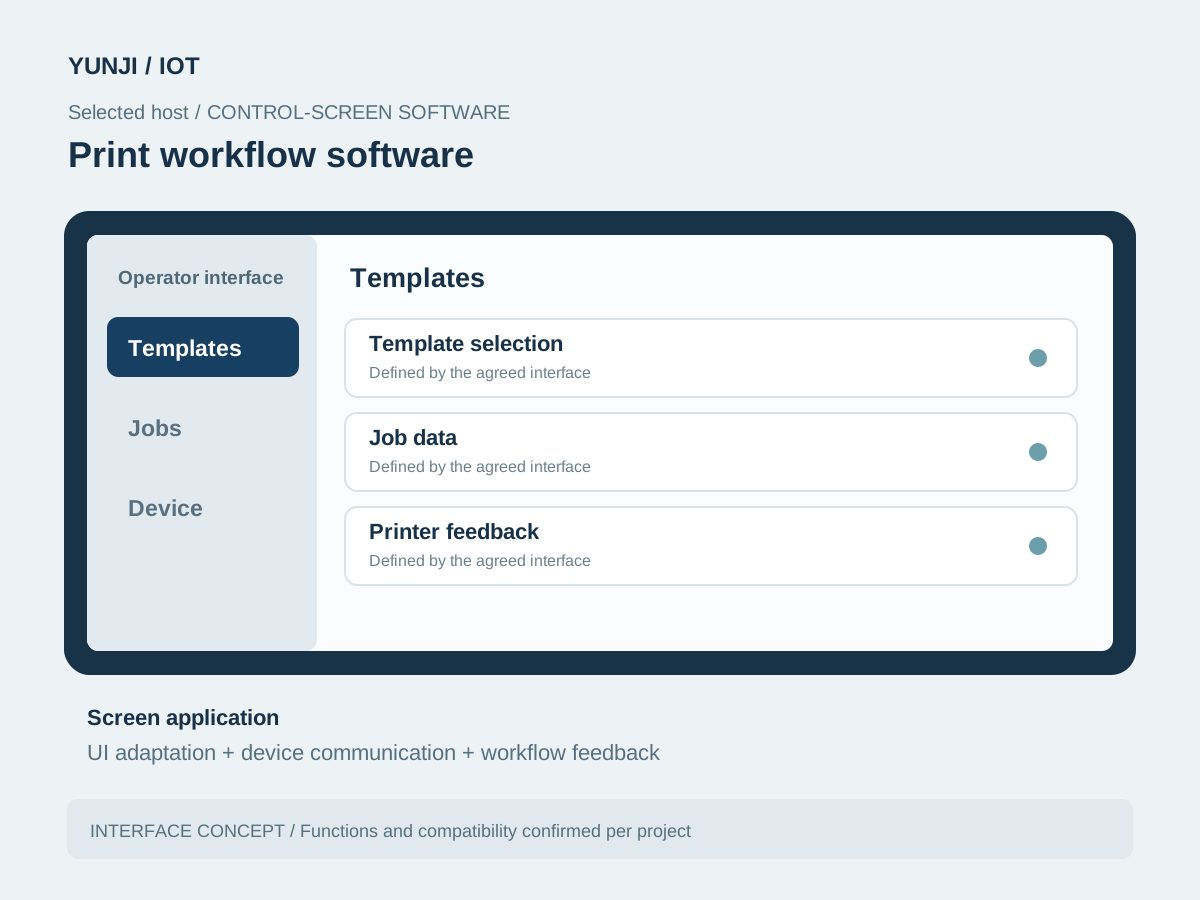
Print workflow software
Selected host software brings template selection, job data, printer feedback into one operator interface. The screen is adapted to the selected hardware and workflow.
Print workflow software
FAQ
Explore frequently asked questions about Connected Printing Workflows.
No chipset is fixed for this scenario. The control-screen board and system are selected against the printer's supported interfaces and the application requirements.
It can be assessed from its model, driver, SDK or command documentation and accessible status feedback. Compatibility is checked on the target screen platform.
Yes, where suitable data interfaces are available. Layouts, field mapping, language requirements and job identity are agreed before implementation.
Provide the screen configuration, printer model and documentation, representative output samples, media details and expected failure or retry workflows.