Bring instrument status, tire readings and inspection records into an MTK-based screen, with software connecting the measurement device to the service workflow.
MTK-based tire-inspection control-screen software connecting instrument readings, result review, record creation and agreed service-system interfaces.
MTK-based inspection control screen
Measurement status and result presentation
Inspection records and service-system integration
This application illustrates software and integration scope, not a confirmed model or supply offer. MTK control-screen configuration, operating system and equipment interfaces are confirmed for the selected hardware and project.
Features
Understand the application challenge
A tire-inspection screen must connect the instrument's output to the correct vehicle, tire position and service record. Units, incomplete readings and repeat measurements need clear handling before results are recorded or shared.
Guide a complete inspection sequence
Associate each measurement with the vehicle and tire position. Distinguish waiting, capturing, complete and invalid readings so the operator knows what to do next.
Present the instrument output accurately
Map documented fields, units, precision and status codes. Agree how missing values and repeat readings are displayed; do not infer measurement accuracy from the screen platform.
Keep reports tied to the original record
Maintain inspection identifiers and agreed timestamps when results move to reports or service systems. Define incomplete records, upload failures and correction workflows.
Solution
Connect the equipment to the workflow
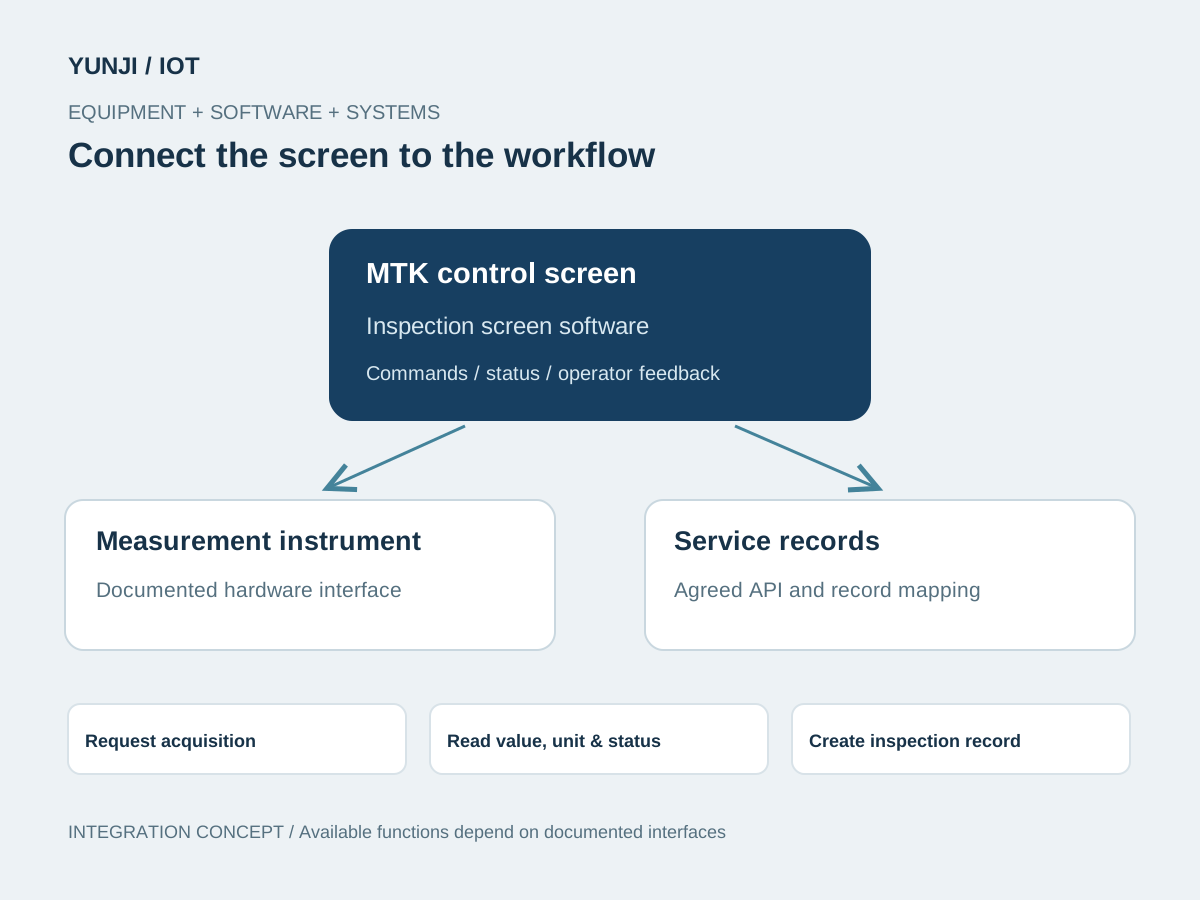
Use an MTK-based screen for the inspection workflow, result presentation and agreed record exchange. Read documented instrument outputs while keeping measurement and calibration responsibilities with the designated instrument system.
Review instrument documentation, sample readings, vehicle / tire identifiers and operator steps. Agree result fields and responsibility for assessment criteria.
Confirm board, display, touch input and system image. Implement the documented acquisition interface and build the inspection guidance and result views.
Map readings, units, status and identifiers to agreed report layouts or backend APIs. Preserve the relationship between source readings and submitted records.
Compare screen values with instrument output, then test missing readings, repeat captures, disconnected equipment and interrupted uploads. Hand over configuration and validation records.
Application context
Where the workflow takes shape
Tire-service operator screens
Vehicle and tire inspection records
Fleet maintenance result workflows
Integration focus
Define the system boundaries
MTK board, screen and instrument SDK / protocol adaptation
Reading values, units, tire positions and acquisition status
Report fields and service / fleet system APIs
Outputs & acceptance
Expected Result
This is an illustrative application, not a completed customer project. The items below describe proposed outputs and checks to agree for an engagement; they are not reported project results.
Agreed deliverables
MTK inspection-screen software and instrument interface mapping
Inspection guidance, acquisition-status and result views
Agreed inspection records, report layouts and system integration
Reading-consistency checks and deployment / technical handover
Before implementation
Compatibility & acceptance checks
Core platform
MTK-based control screen; chipset and system configuration confirmed per instrument
Instrument interface
Acquisition commands, fields, units and error states verified from the device SDK or protocol
Measurement responsibility
Method, accuracy and calibration remain defined by the selected measurement system
Inspection identity
Vehicle, tire position, reading identity and required timestamps agreed for the record
Reports and backend
Layouts, assessment rules and service / fleet interfaces confirmed with the receiving system
Acceptance
Value and unit consistency, incomplete-reading handling, record integrity and recovery
SOFTWARE & INTEGRATION
Control screens in application
Control-screen software, equipment communication and system integration.
Interface and integration concepts. Actual screens and supported functions are defined for each project.
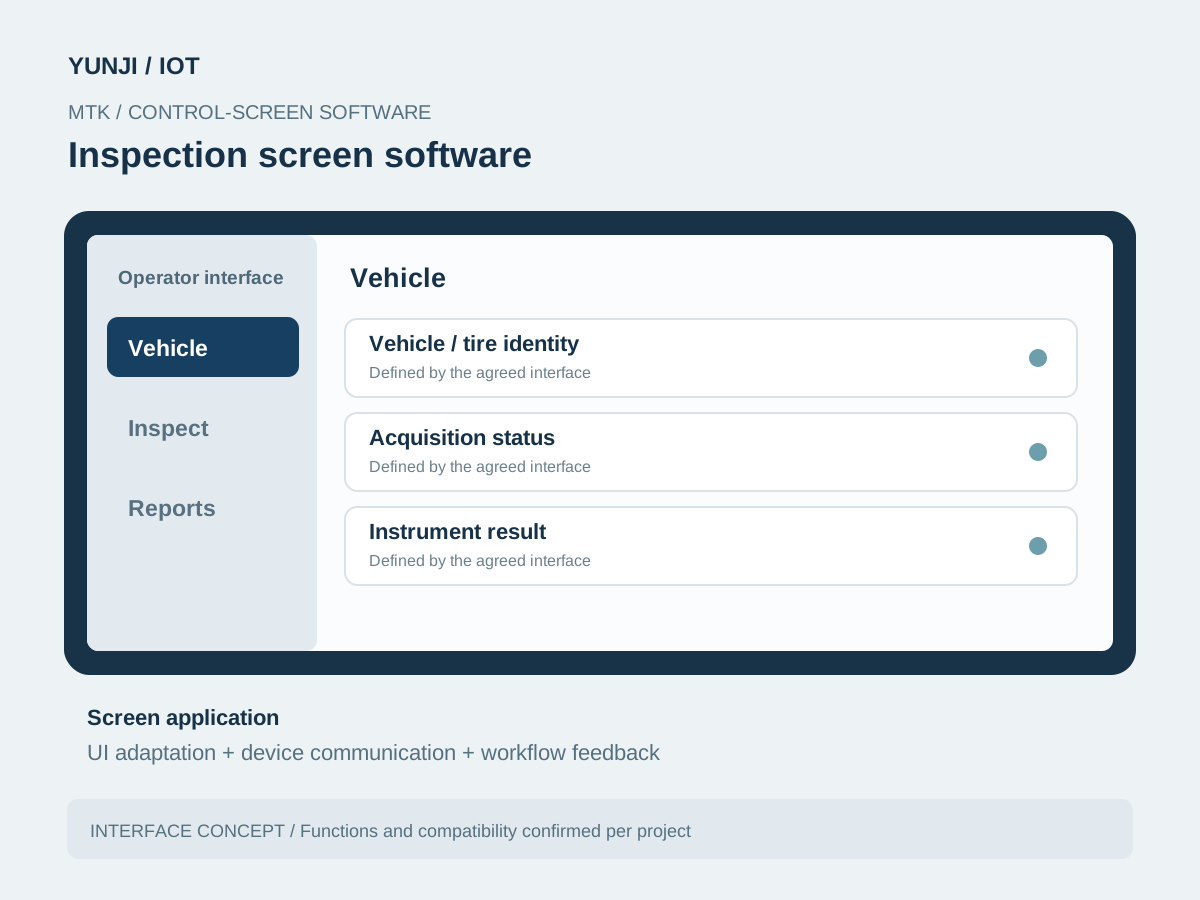
Inspection screen software
MTK software brings vehicle / tire identity, acquisition status, instrument result into one operator interface. The screen is adapted to the selected hardware and workflow.
Inspection screen software
FAQ
Explore frequently asked questions about Inspection Data Workflows.
It uses an MTK-based control-screen solution. The specific chipset, board, display and system image are confirmed for the instrument.
Measurement method, accuracy and calibration belong to the selected measurement system. The screen software reads and presents documented outputs and is verified for value, unit and record consistency.
Yes, subject to available APIs and the agreed inspection-record model. Vehicle identity, tire position, units and upload acknowledgements are mapped during integration review.
Provide the MTK hardware details, instrument SDK or protocol, sample readings with units and error states, inspection steps, report examples and receiving-system documentation.